Write your code. Weaver handles the work around it.
Keep using Python, SQL and Power BI in Fabric. Weaver gives your team a consistent way to load data, test results, deploy changes and connect the work.
Start with what you know
Python and Spark SQL, together
Use Python and Spark SQL together to load files and create Lakehouse tables. Weaver runs the steps in the right order.
Ordinary T-SQL
Keep ordinary SELECTs, without a proprietary modelling language or macros.
Keep using Power BI files
Apply modelling standards, run unit tests and deploy Reports using standard Power BI project files (PBIP and TMDL).
Work in Fabric or your own editor
Write code in VS Code or another editor on Windows, macOS or Linux, or work entirely in Fabric Notebooks. Deploy native Power BI models and Reports without Power BI Desktop.
Built for developers and AI agents
Developers get readable command output; AI agents get structured --json results. Both can build, load, test and inspect the work, with clear results and errors.
Build reliable data pipelines
Run connected work in the right order.
Lakehouse
- FilesPython Folder
- Delta TablePython
- Delta TableSpark SQL
Warehouse
Power BI
Keep work in the right order
Run Lakehouse work, Warehouse SQL and dependent Power BI model refreshes in one connected workflow.
Turn a SQL query into a working table
Give Weaver a SELECT and a key. It creates the table and loading steps, tracks changes and records the results.
Turn Python and SQL into Lakehouse tables
Use Python and Spark SQL to load files and update Delta Tables, without building a separate pipeline to connect them.
Find what depends on what
Weaver can read dependencies from Python imports and supported T-SQL references. With Spark SQL, you specify them.
Load only what has changed
Apply inserts, updates and explicit deletes using rules you choose, without rebuilding every target.
Pick up where each table left off
Each table or folder tracks its own progress through the source data, even when several share the same source.
Test data and calculations
Compare actual and expected results or find invalid rows using Python, SQL and DAX.
Data-quality safeguards
Keep rejected rows and stop unusually large proposed updates or deletes before they reach your tables.
Write a SELECT. Get the engineering around it.
Weaver supplies
- Physical Table
- Load procedure & staging
- Declared-key reconciliation
- Supported dependencies
- Change statistics
- Health evidence
Power BI, engineered for organisations
Keep your Power BI files. Add shared standards, model-specific rules and unit tests.
PowerBI/
├── policy.tmdl          ← organisation-wide policies
├── Sales/
│   ├── Sales.pbip       ← standard Power BI project file
│   ├── Sales.tmdl       ← Sales-specific policies
│   ├── Sales.SemanticModel/
│   ├── Sales.Report/
│   └── tests/           ← unit testing for Semantic Models
│       └── Sales/
│           └── Sales.RevenueMatches.dax
└── Finance/
    ├── Finance.tmdl
└── Finance.Report/Organisation-wide modelling standards
Apply shared native TMDL policy across Semantic Models instead of repeating formats and conventions.
Built-in modelling rules
Automatically hide foreign keys and create measure selectors using standard TMDL annotations.
Write your own modelling rules in Python
Add your own Python rules when you need more than Weaver's built-in modelling options.
Reuse models without copying them
Start from a shared model and create versions for different audiences without maintaining complete copies.
Unit testing for Semantic Models
Unit test DAX measures against independent expected results, including SQL calculations over managed Lakehouse or Warehouse sources.
Connect Reports to the right models
Deploy the same Report to different workspaces. Weaver checks that it connects to the intended Power BI model.
Supported native model/Report deployment also works in an appropriately licensed Power BI service workspace, without Lakehouse/Warehouse work or a Weaver Catalogue.
Know what's happening across Fabric
One view across your Fabric work — from Lakehouse and Warehouse to Power BI models and tests.
$ weaver health \
  --workspace-config workspace-development.yml
Health
Read catalogue 2.6s
Check installed items 0.1s
Read installed objects 3.0s
✓ Health 5.8s
Weaver Health Green
Load Green
Last load activity 0h 3m ago
8 succeeded
Tests Green
4 succeeded
Build Green
Installed estate consistent (29 objects)import weaver
health = weaver.health(
workspace="Parcel Development",
catalogue="Warehouse/Catalogue",
)
health.report()Run the same check from Python inside Fabric. The result can also be used in your own code.
See all your work in one place
Weaver keeps its Catalogue of deployed items, dependencies and run results in an ordinary Fabric Warehouse. There's no separate monitoring service to run.
See what is up to date or needs attention
See what is up to date, waiting, failed or inconsistent across your managed Fabric work.
See run history and results
See what ran, how long it took, row counts, data changes and recorded results.
Recover from failures
Keep results from completed steps, record failures and optionally continue unrelated Load work.
Run only the parts you choose
Select work by name, preview what will run and include related steps when you need them.
Control how much runs at once
Set limits on how much runs together while Weaver keeps dependent work in the right order.
Built for scale
From 3 objects to 3,000.
- 3Easy to keep in your head.
- 30It’s hard to keep track.
- 300It’s no longer whether you use a framework, but which one.
- 3,000Scheduling and recovery decide everything.
Tuned for each engine
From Delta reads and writes to transactions, T-SQL and Shortcut creation, each operation is tuned for its engine to eliminate waste.
Run independent steps together
Weaver can run separate Spark and Warehouse steps at the same time, within limits you choose.
Process only the changes
Each object tracks its own progress, so it can process inserts, updates and deletes rather than starting over every time.
SQL endpoints refreshed as needed
A refresh runs in the background, and only the consumers that need the new state wait for it.
Stress tested with 3,000 Fabric objects.See how it was testedGet started
Visibility, included
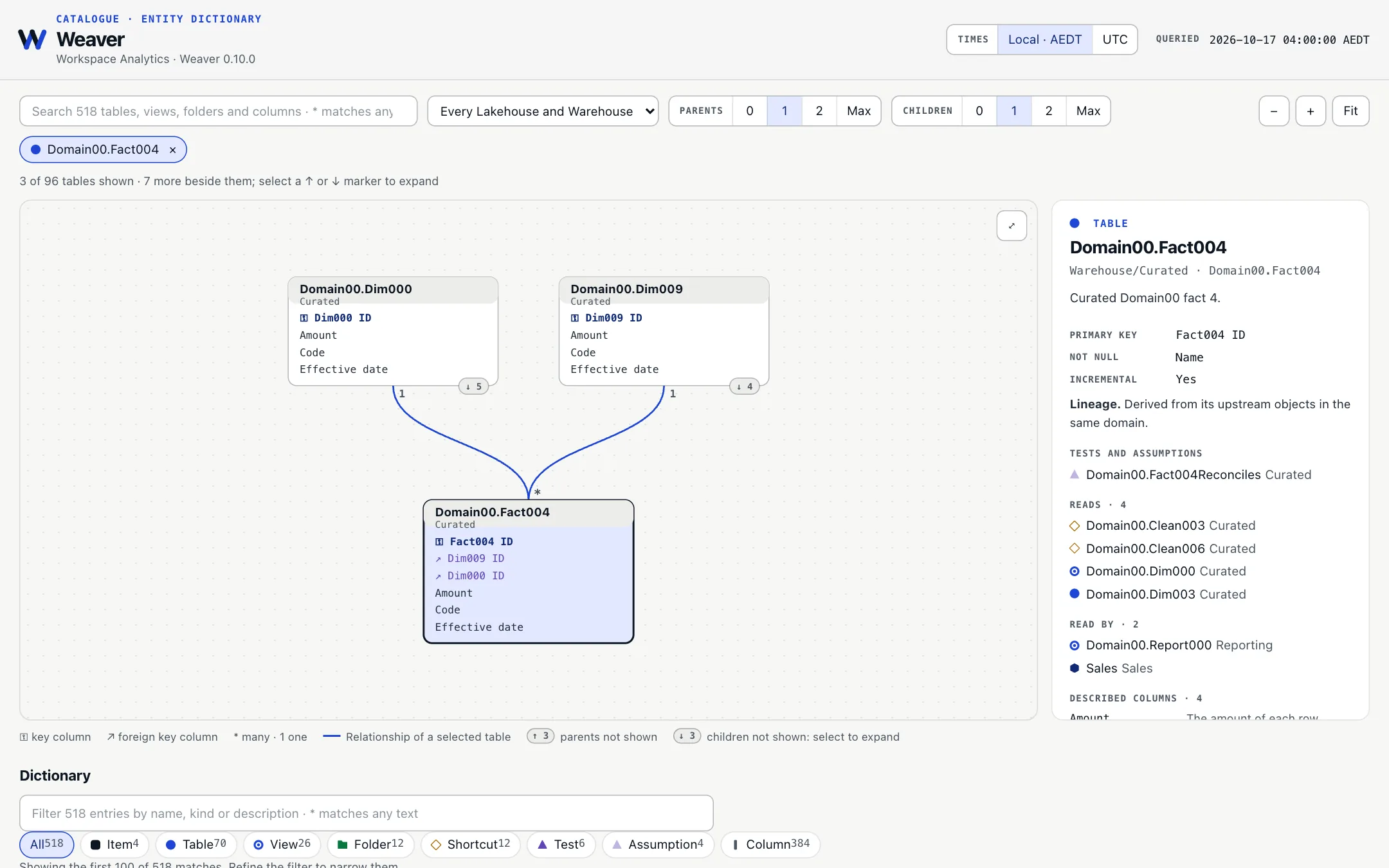
Weaver includes a Power BI dashboard showing the status of your work. One command adds it to your Fabric workspace.
All your Fabric work, at a glance.
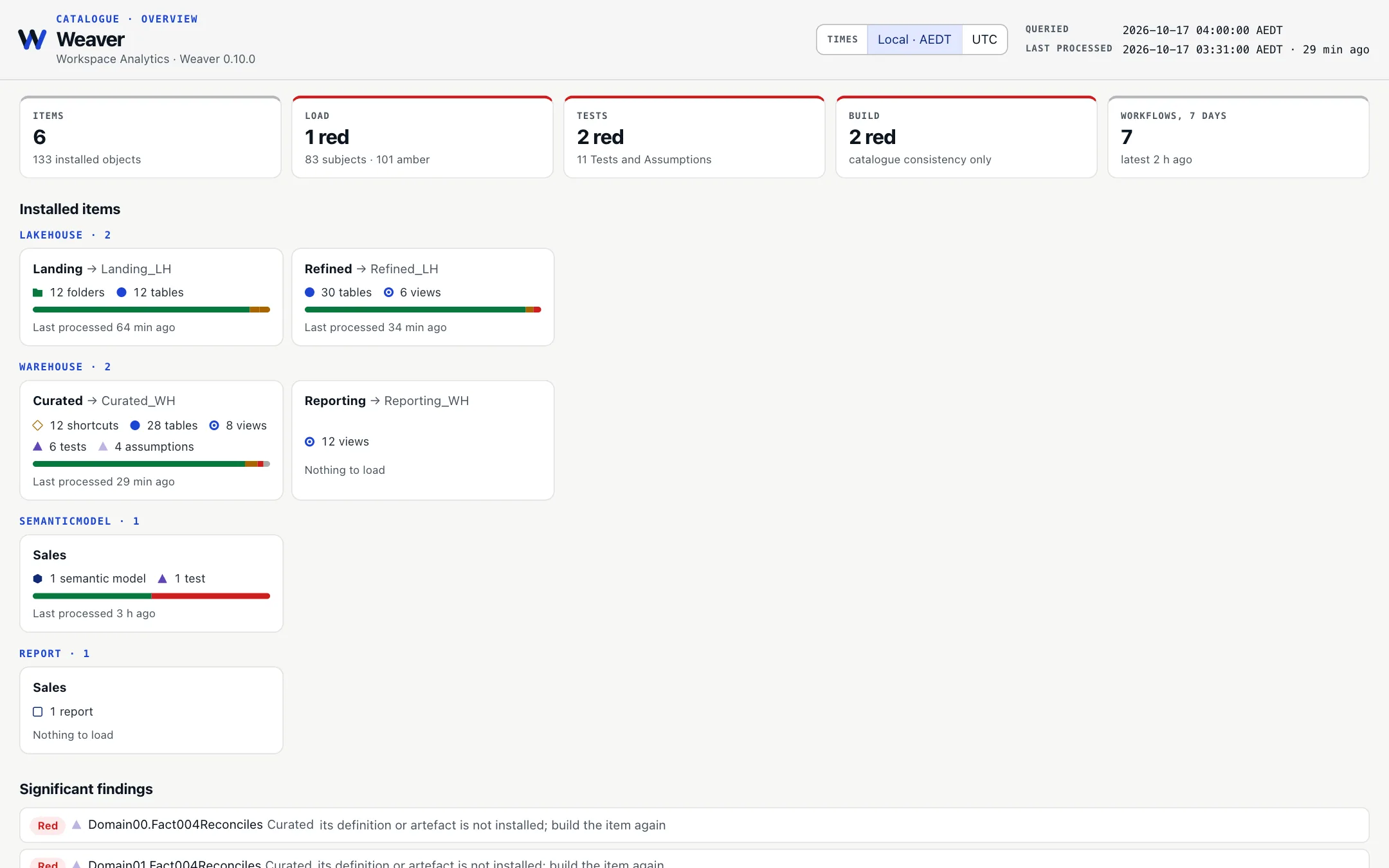
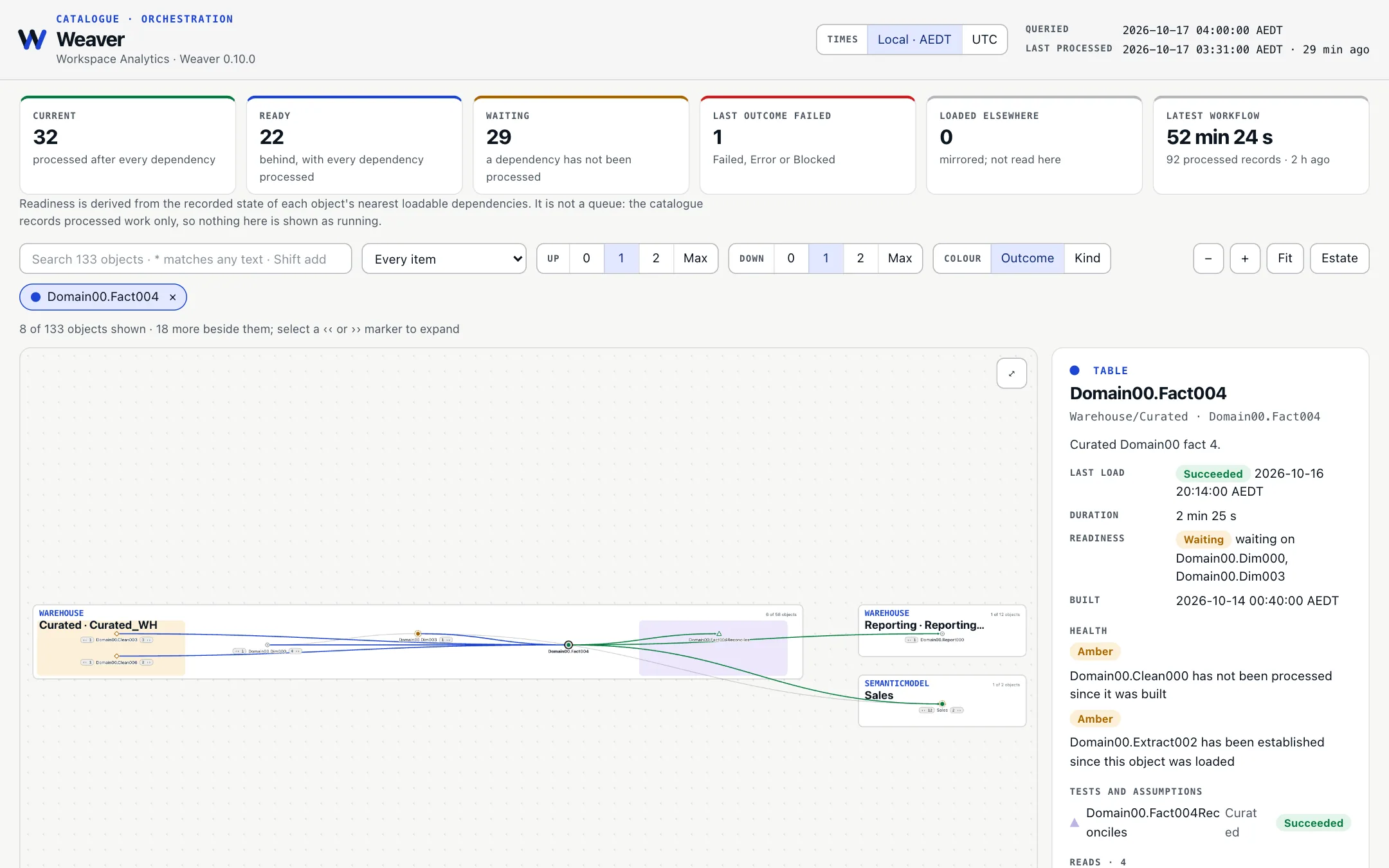
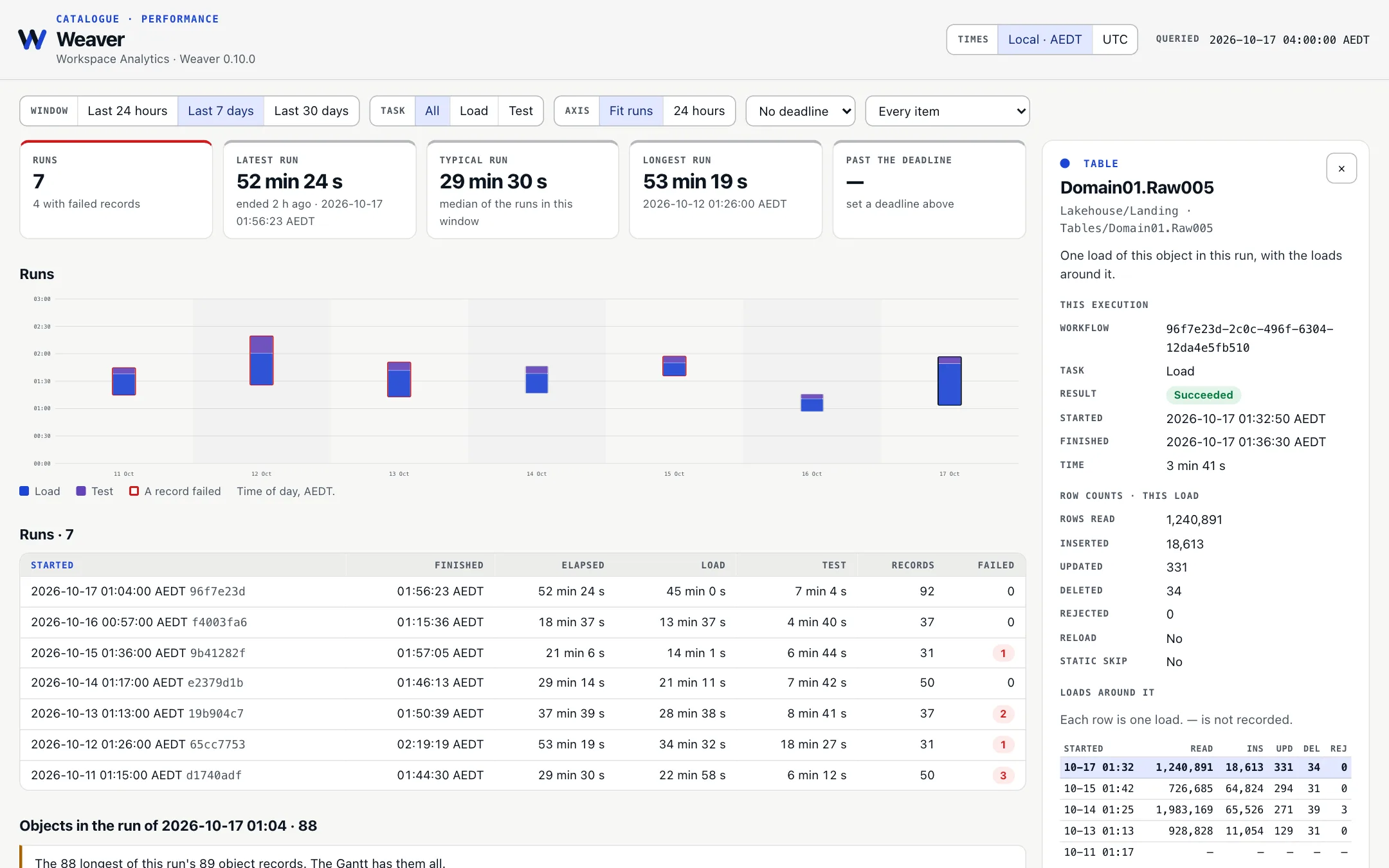
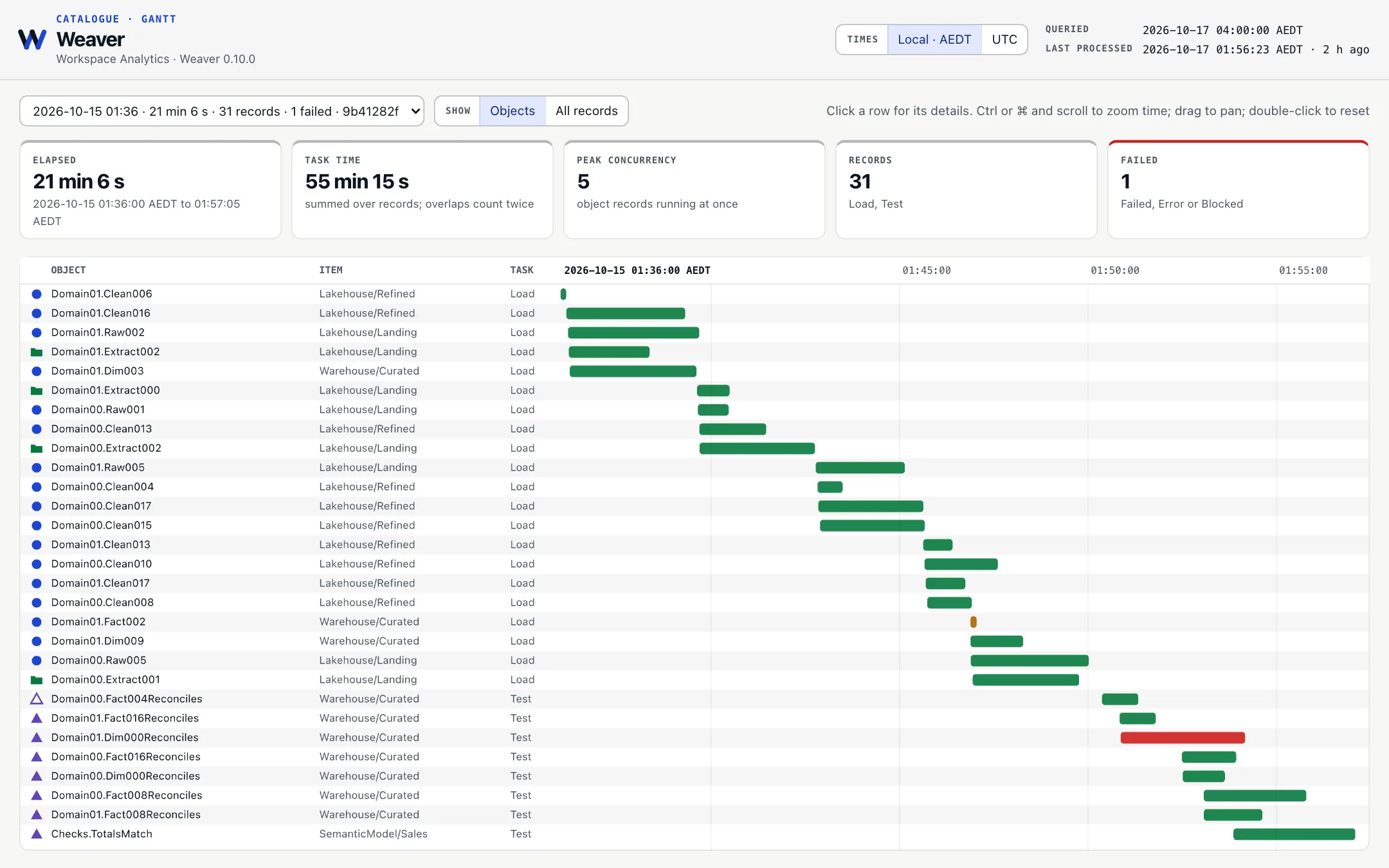
One command
weaver catalogue-dashboard deploys the semantic model and Report beside the catalogue, and brings them up to date on the next run.
Live over Direct Lake
The dashboard reads the Fabric Catalogue using Direct Lake, so its pages reflect the latest recorded results.
Free to tweak
It is an ordinary Power BI Report. Tweak it to fit your needs, or throw it away and build your own over the catalogue.
When your projects get more complex
Same code. Different workspaces. No rewrites.
Keep one set of Python, SQL and Power BI files. Choose where to deploy by changing the workspace configuration file.
weaver build \
  --item Warehouse/Operations \
--workspace-config workspace-development.ymlweaver build \
--item Warehouse/Operations \
--workspace-config workspace-production.ymlOne project, multiple environments
Use the same files in development and production. A configuration file sets which workspaces, Fabric items and Power BI models they belong to.
Update only what changed
Update changed source definitions and the work that depends on them, while leaving unchanged parts in place.
See changes before applying them
Preview what will change, where it will go and whether anything will be replaced or deleted.
Review deployments before applying them
Prepare a fixed deployment plan, review it and apply it later without changing the plan.
Wait for new data to be ready
Weaver waits for new data to become available before running the next step that needs it.
Protect important data
Keep irreplaceable sources outside managed targets and use Build replacement guards for protected owned objects.
Fork your data, not just your code.
- Existing source estateSource-owned data
- Borrowed development dataWarehouse Views · Lakehouse Shortcuts
- Selected changed workMaterialised locally by Build
Start with one item.
Begin with a Lakehouse, a Warehouse or a Power BI model, and connect more as you need them.